
 Sign in to MyAccount
Softaculous in cPanel
Using Softaculous
Softaculous is an easy‑to‑use app installer available with many cPanel hosting accounts. It allows you to install popular software such as WordPress, Joomla, Drupal, forums, and e‑commerce tools in just a few clicks without needing to upload files or manually set up databases.
Please note: any software you install using Softaculous isn’t managed or supported by Zen. If you need help with a specific application, you’ll need to contact the software provider or developer directly and use their own support guides.
1. How to access Softaculous in cPanel
Log in to your cPanel. If you need help, follow our guide How to log into your cPanel.
On the main dashboard, find the Software section.
- Select Softaculous Apps Installer
(This is separate from WordPress Manager by Softaculous)
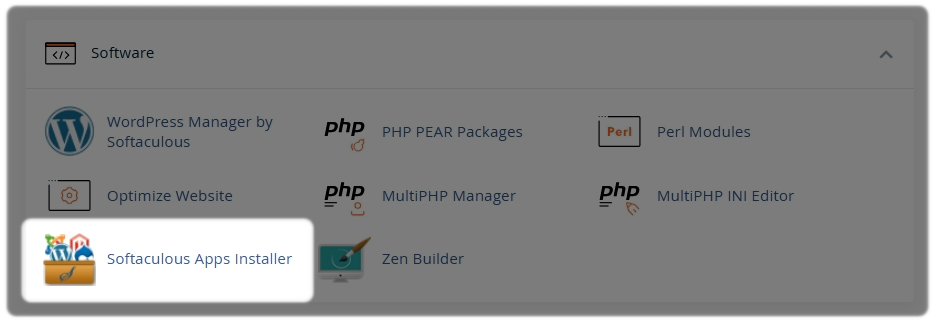
Once you’re in, you’ll be able to browse all available applications and start installing straight away.
2. Inside Softaculous
Softaculous organises applications into helpful categories.
The Top Scripts (applications) will be tiled on the page.
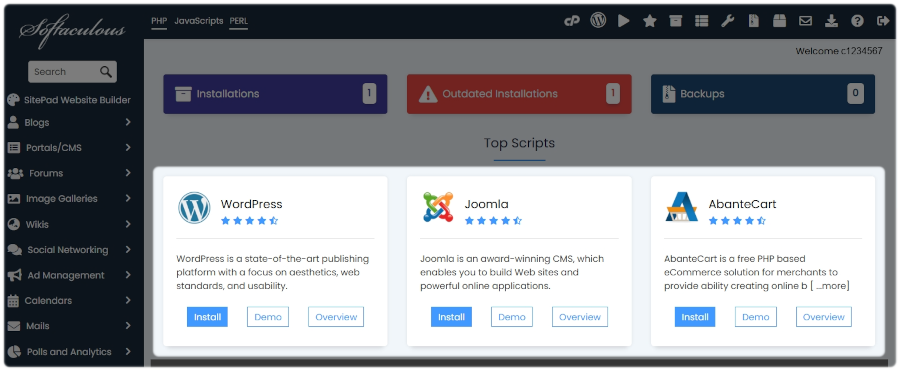
You can also expand the left-hand side index menu to filter Apps from specific topics, or use the Search bar at the top of the page to quickly find a specific App.
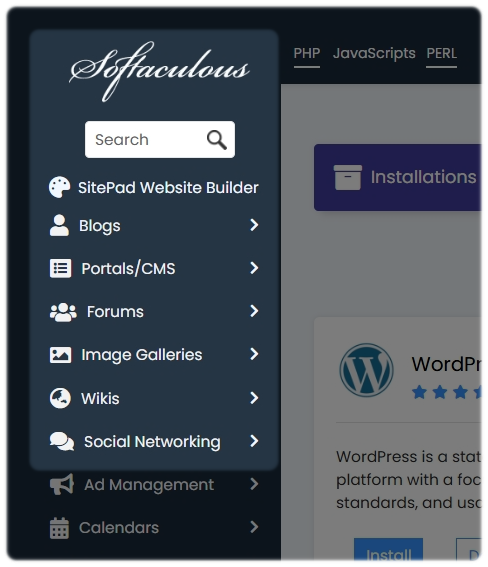
Including:
- Blogs - such as WordPress and SitePad
- Portals/CMS - including Joomla and Drupal
- Forums - tools for community discussions
- E‑commerce - software for online shops and payments
- Wikis - for documentation and knowledge bases
- Social Networking - platforms for building communities
- Mails - mailing list and newsletter tools
- Project Management - task and team collaboration tools
- Frameworks - developer frameworks and utilities
3. Typical installation options
When you choose an app to install, Softaculous will ask you to enter some basic information. This usually includes:
- Protocol - choose http:// or https://
- Domain - select where the software will be installed
- In directory
- leave blank to install on your main website, or
- enter a folder name to install it in a subfolder
- Site name and description - displayed on your website
- Admin username and password - used to log into the app
- Admin email address - for notifications and password resets
- Language - if available for that app
- Advanced options - such as database names, automatic updates, and backups
Softaculous provides guidance on each field, so you don’t need to be an expert to get started.
Need Help?
Feel free to contact our Web Hosting team.