
 Sign in to MyAccount
CRON Jobs in cPanel
What are Cron Jobs in cPanel
Cron jobs are automated tasks that run on a schedule you define. In cPanel, you can manage them.
Cron jobs are intended for customers who are comfortable working with Linux commands and custom scripts. They are typically used on unmanaged, self-service hosting environments to automate tasks such as maintenance scripts, data processing, or application functions.
As Zen provides unmanaged hosting, we're unable to troubleshoot, modify, or support customer-created scripts, code, or data.
Before creating a cron job, make sure you understand how often it needs to run. Scheduling jobs too frequently can cause them to overlap, which may impact server performance. If you're running a script, ensure it has the correct permissions and always use the full (absolute) path to the command or script
1. How to set up a Cron Job in cPanel
Log in to your cPanel. If you need help, follow our guide How to log into your cPanel.
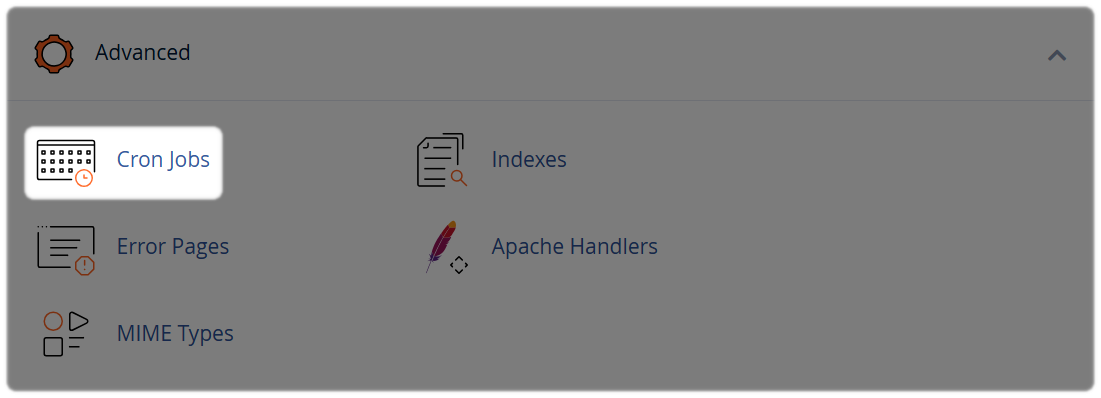
Select "Cron Jobs" from the "Advanced" sub-menu , or use the search bar at the top of cPanel and type Cron Jobs.
2. Email Notifications (Optional)
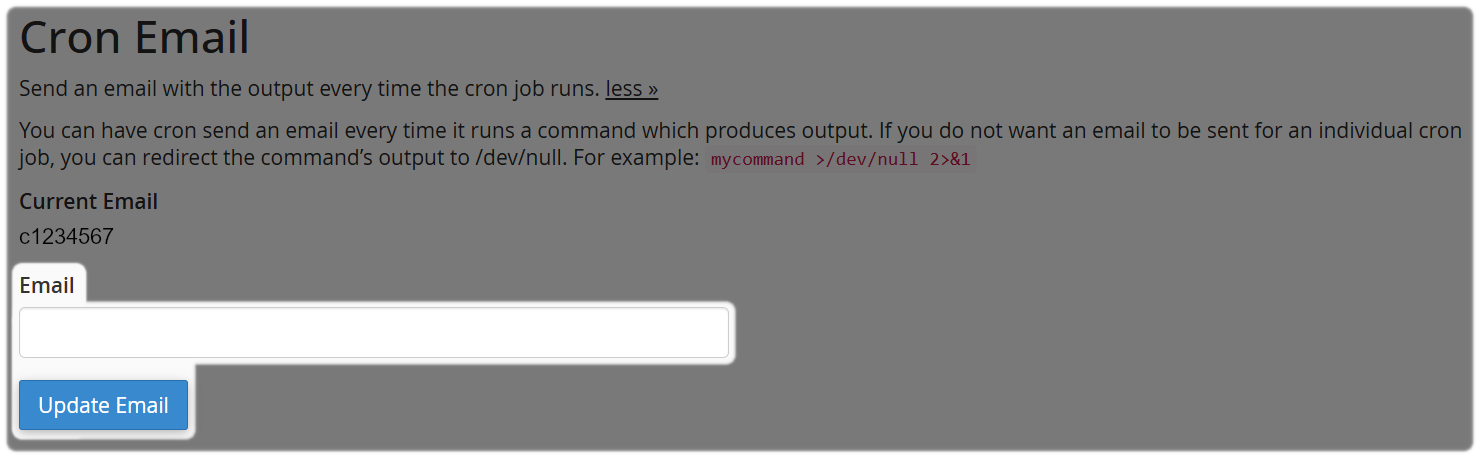
If you'd like to receive email notifications when cron jobs run, enter your email address in the Cron Email section and select Update Email.
3. Schedule New Cron Job
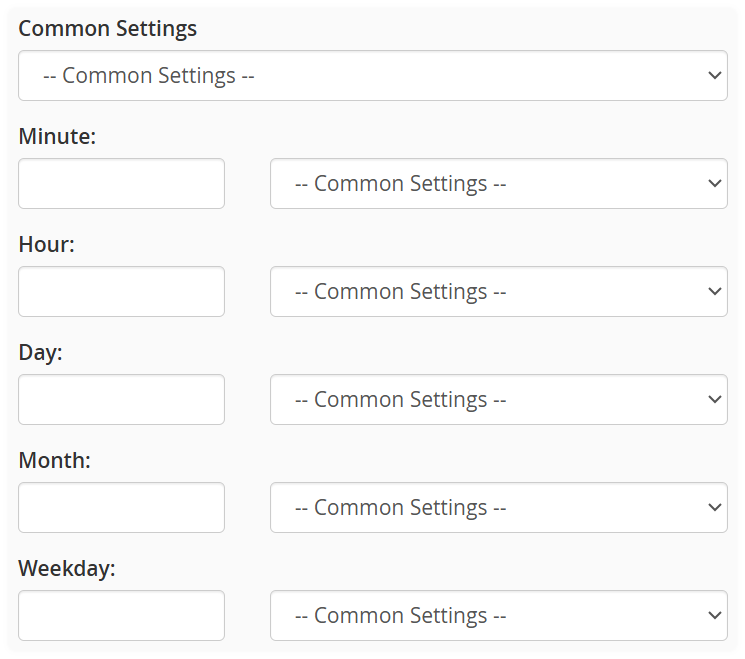
Under Common Settings, choose a predefined schedule or manually configure the timing using the Minute, Hour, Day, Month, and Weekday fields.
4. Command Line
In the Command field, enter the command or script you'd like to run. remember to use the full (absolute) path to the command or script.
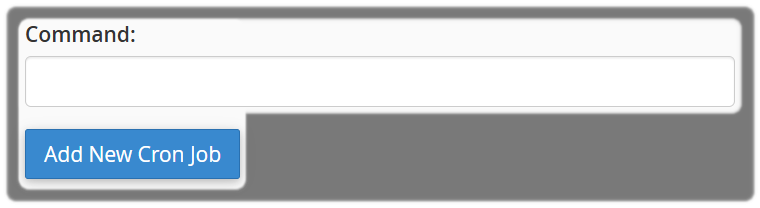
Select Add New Cron Job to save the schedule.
Good Practice
To help keep your website and hosting environment running smoothly:
- Use cron jobs for small, predictable tasks wherever possible.
- Allow enough time between scheduled runs for each task to complete before the next one starts.
- Always test scripts before scheduling them.
- Use the full path to commands and scripts.
- Be especially careful when using commands that modify or delete files, and ensure you have appropriate backups in place before making changes.
Cron Jobs Management Responsibility
Our support team can help with cPanel administration and navigation. However, cron jobs are an advanced feature, and support does not extend to troubleshooting custom scripts, code, permissions, environment variables, file paths, or command logic.
If a cron job does not behave as expected due to the script or command being run, you'll need to review and maintain the code yourself or seek assistance from your developer.
Need Help?
Feel free to contact our Web Hosting team.