
 Sign in to MyAccount
cPanel Password Reset
How to Reset Your cPanel Password
This guide explains two simple ways to reset your cPanel password:
- Method 1: Reset your password from the cPanel login page if you cannot sign in.
- Method 2: Change your password from within cPanel if you are already logged in.
Choose the method that best matches your situation.
Method 1: Reset Your Password from the cPanel Login Page
Use this method if you cannot log in to cPanel.
Important: This method only works if you have previously set a contact email address in cPanel.
For more information, see:
Updating Contact Information and Preferences in cPanel
- Go to the cPanel login page. For more information, see:
How to Log in to Your cPanel - On the login page, click Reset Password.
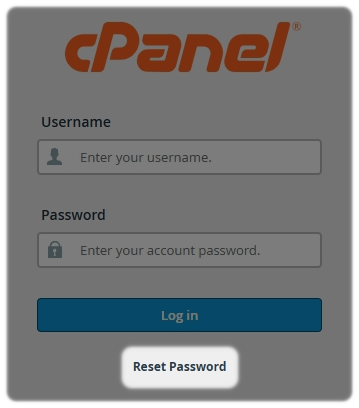
- Enter your cPanel username.
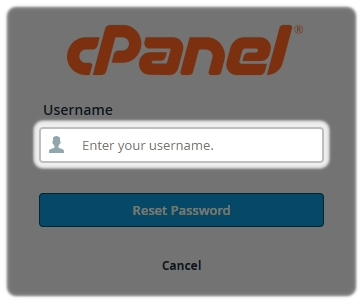
- Enter your contact email address.
- Select Send Security Code
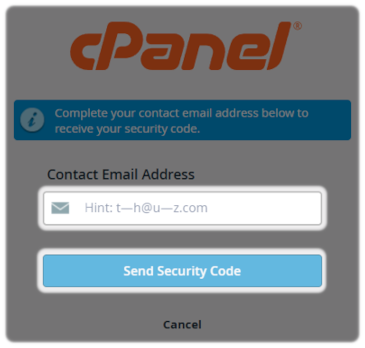
Tip: If you have not set a recovery email address in your contact preferences, the email address hint shown may appear random.
- Check your contact email address inbox for the password reset message
- Open the email and locate the unique reset code
- Enter the reset code on the password reset page
- Create a new password
- Save the new password and sign in again using your updated details
Method 2: Change Your Password from Within cPanel
Use this method if you are already able to log in to cPanel.
- Log in to your cPanel account. For more information, see:
How to Log in to Your cPanel
Once you have logged in to your cPanel:
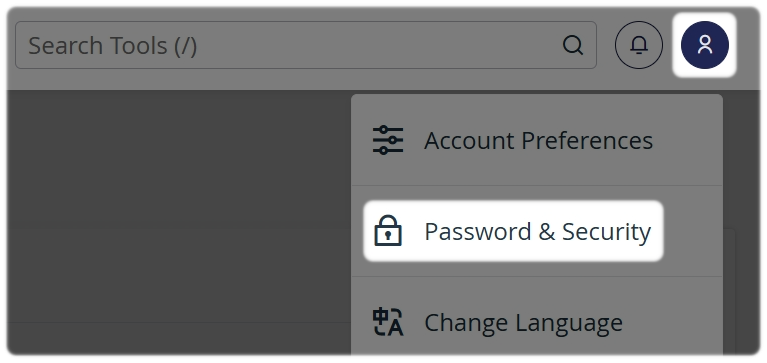
- In the top-right corner, click your Profile icon
- Select Password & Security
- Enter your current password
- Enter your new password
- Re-enter the new password to confirm it
- Or use the Password Generator
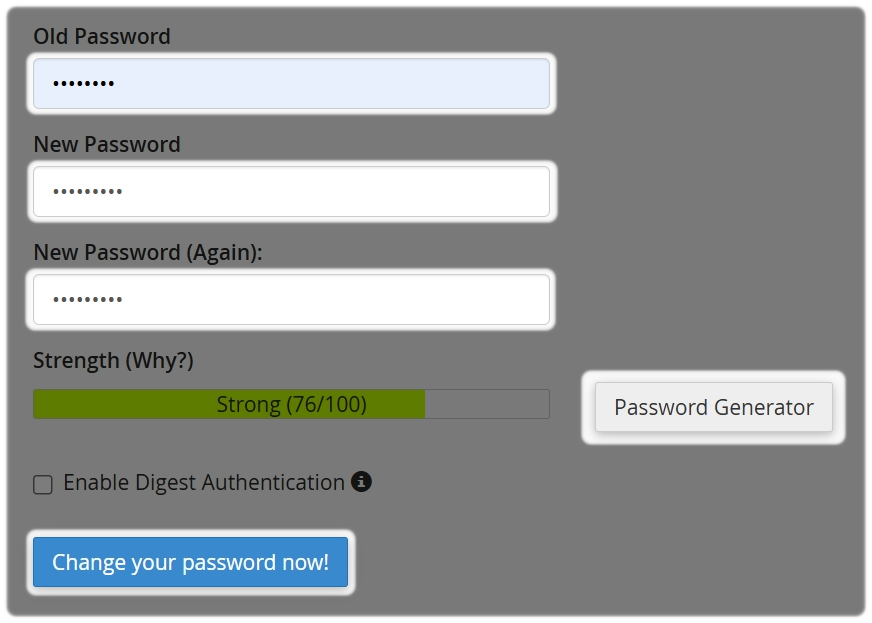
- Select Change your password now!
Important: Do not enable Digest Authentication.
You will be logged out automatically. Log back in using your new password to confirm the change was successful.