
 Sign in to MyAccount
cPanel Directory Privacy
What is cPanel cPanel Directory Privacy
Directory Privacy allows you to restrict access to specific folders on your website by requiring a username and password. When someone tries to access a protected directory through a web browser, they'll be prompted to sign in before they can view its contents.
This feature is commonly used to protect areas such as staging websites, client review content, internal documents, or other resources that shouldn't be publicly accessible.
Please note that Directory Privacy only controls access through a web browser. It does not prevent access via FTP, File Manager, or other server-level access methods.
1. How to Enable Directory Privacy
Log in to your cPanel. If you need help, follow our guide How to log into your cPanel.
Select "Directory Privacy" from the "Files" sub-menu , or use the search bar at the top of cPanel and type "Directory Privacy".
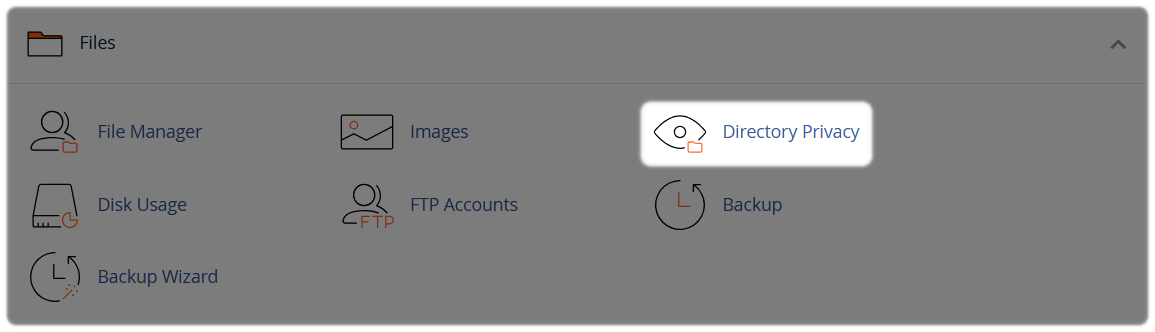
2. Select the Folder
Browse to the folder you want to protect. You can select a folder directly or open parent folders to locate a subfolder.
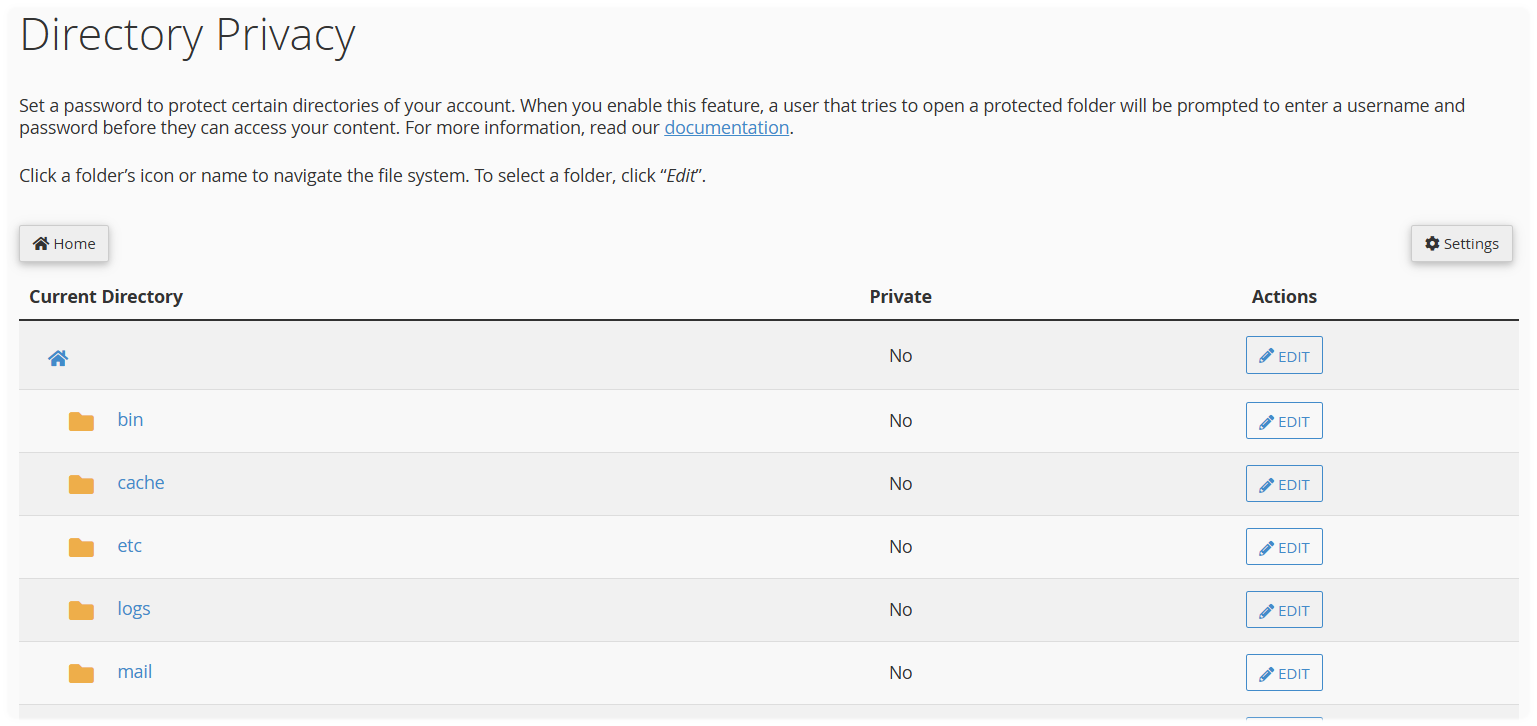
Select Edit next to the directory you want to secure.

3. Set Permissions
Tick Password protect this directory. To remove protection in the future, simply un-tick this option and save your changes.
Enter a name for the protected directory. This label is used internally within the directory's .htaccess configuration and does not change the folder's actual name.
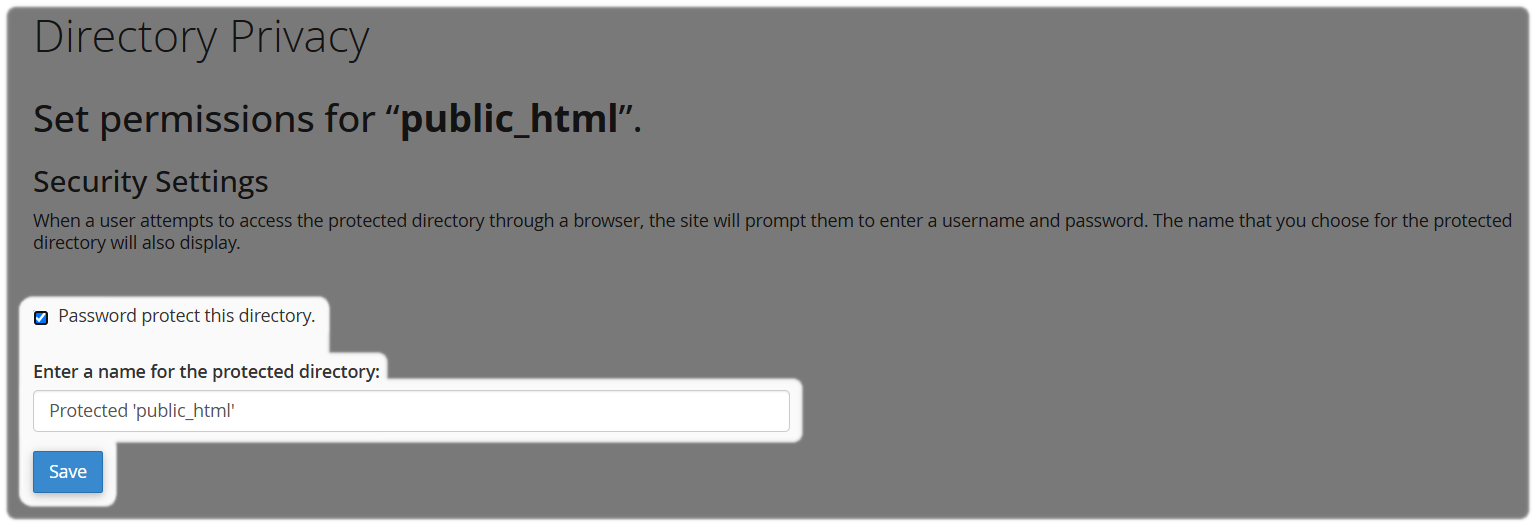
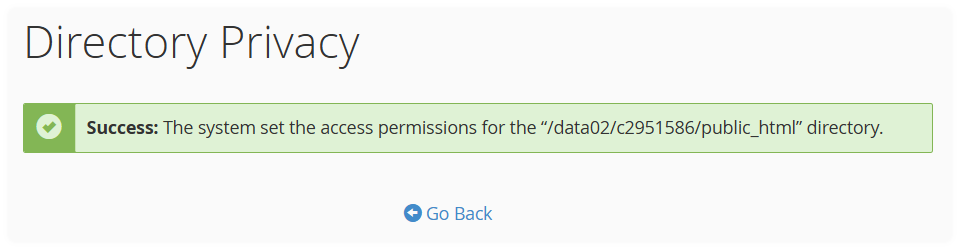
Click Save to apply the protection settings, a success prompt will appear, select "Go Back" to return to the directory settings page.
4. Create a User
Create at least one authorised user. Password protection won't work until a user account has been created for the directory.
Enter a Username and Password, confirm the password.
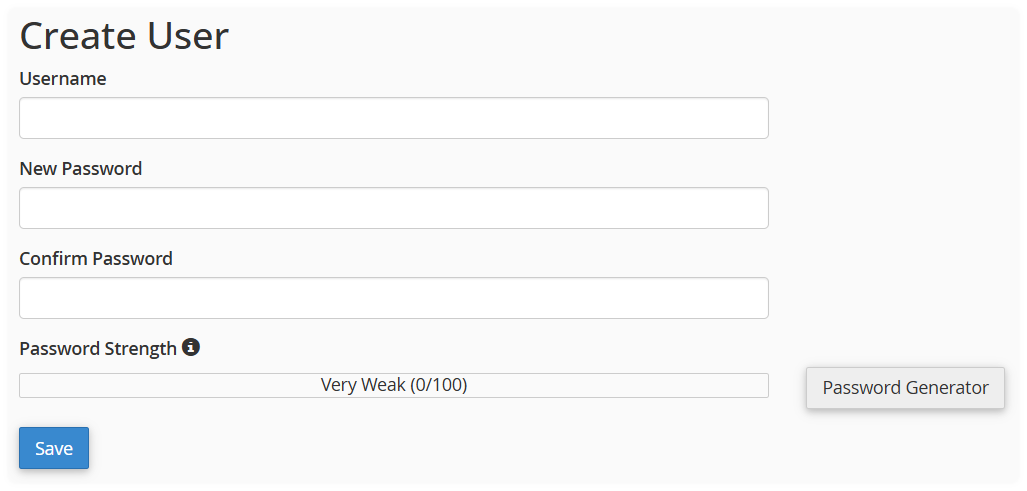
Once you have entered the details select Save. You can also use Password Generator to create a strong password if required.
Once a user has been created you will have a Authorised Users section. From here you can manage future access and remove users or update an existing user's password.
Things to Know
- Password protection applies to the selected directory and any subdirectories beneath it.
- If you protect a parent directory, users will also need to authenticate before accessing its child folders.
- A padlock icon next to a directory indicates that Directory Privacy has been configured for that folder.
- You can return to the Directory Privacy section at any time to enable, disable, or update the protection settings and authorised users.
Directory Privacy Management Responsibility
Our support team can help you navigate cPanel and enable Directory Privacy. However, we cannot manage usernames, passwords, website content, or access requirements on your behalf. You're responsible for maintaining authorised users and ensuring access credentials are shared securely with anyone who requires them.
Need Help?
Feel free to contact our Web Hosting team.