
 Sign in to MyAccount
Eero for Business
What is eero for Business?
Eero for Business is a service designed for small to medium-sized business networks. It offers features such as multiple SSIDs, guest access, bandwidth control, analytics, and business-grade management. With Eero for Business, you can configure up to four separate SSIDs, each tailored for specific needs.
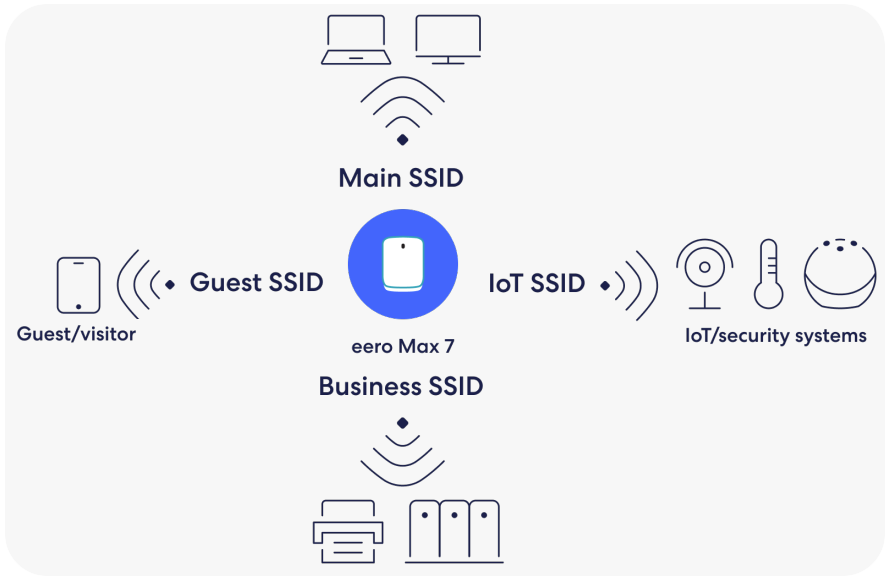
- Main: Employee devices and business connectivity
- Guest: Access via captive portal for general connectivity for business visitors
- Business: Business-critical equipment whose internet connectivity is prioritized and completely isolated, such as point-of-sale devices, printers, security systems, and network-attached storage
- IoT: Connectivity to always-on infrastructure equipment throughout the business, such as smart devices, thermostats, door locks, and security systems
1. Locating WiFi Settings in the Eero App
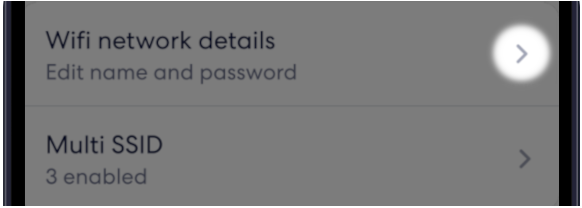
- Open the Eero app on your mobile device, then select "Settings" at the bottom of the screen

- To configure the Main SSID, Select WiFi network details
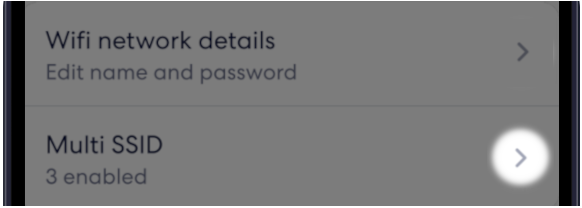
- To configure the Guest, IoT, and Business SSIDs, Select Multi SSID
2. Setup your Multi SSID's in the Eero App
In the example below, we have used the "Guest Network"; the process is the same for "IoT SSID" and "Business Critical Applications" if selected.
- From the "Settings" page, select "Multi SSID" from the above step
- Select the "Guest Network"
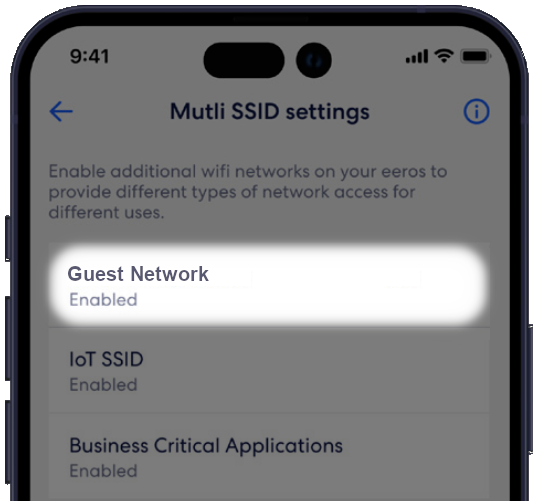
- Toggle "Enable guest network" and enter the desired "WiFi network name" and "WiFi network password"
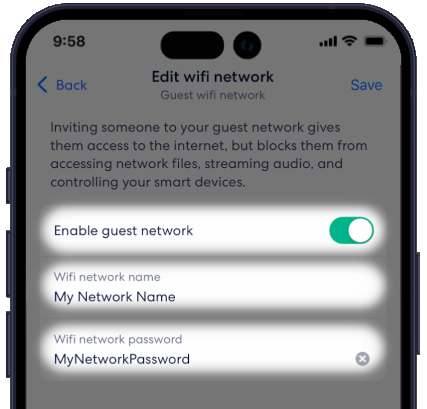
Once you have entered the desired information for your guest network:
Select "Save"
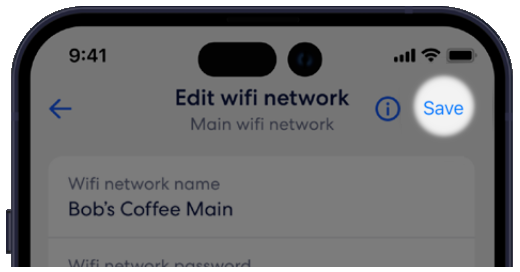
Repeat the process for "IoT SSID" and "Business Critical Applications" from within the "Multi SSID settings" if required.
3. Captive Portal on the Guest Network
Once you have set up your guest network, you will have the options to enable/disable the captive portal and "Edit Captive Portal". Follow the above steps if required to get to your guest network.
- Toggle "Captive portal" on/off to enable and disable
- Select "Edit Captive Portal"
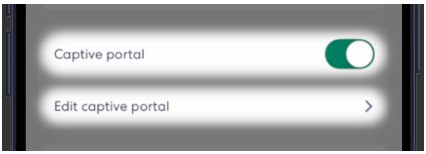
Within the captive portal, selecting one of the options will allow you to edit that section.
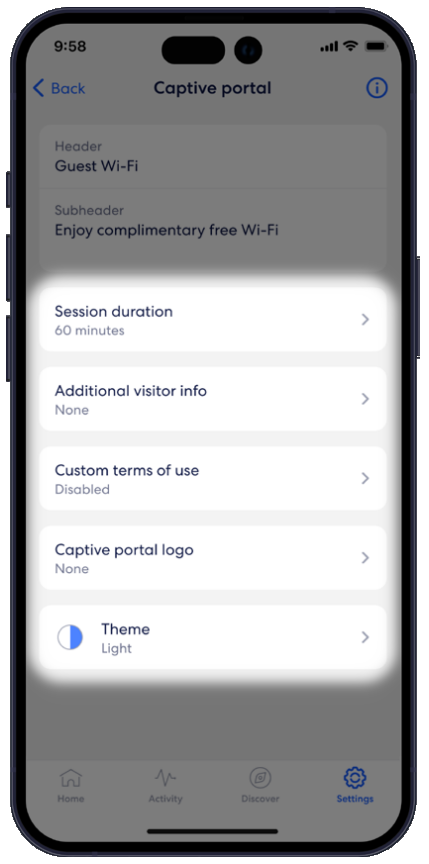
Selecting the options will allow you to:
Set a session duration of 30 minutes, 60 minutes, 90 minutes, or 24 hours
Add a header and subheader
Upload a .TXT file under “Terms of Use”
Upload a business logo (maximum size: 200x200, format: PNG or JPG)
Choose the light or dark theme
Once you have changed a setting, select “Save” then check if the preview matches your selection.